Introduction
In the world of networking and cybersecurity, an IP Address Checker is an essential tool for identifying, analyzing, and securing devices on a network. Every device connected to the internet has an IP address, which acts as its unique identifier. Knowing your IP address and monitoring it can help troubleshoot connectivity issues, protect privacy, and manage networks effectively.
Many users are unaware of their IP address or confuse it with device IDs, leading to potential security risks and network configuration issues. An IP address checker provides detailed information about your public and private IP, location, ISP, and other technical details, helping you take informed actions.
This guide explains what an IP address is, how to use an IP address checker, its benefits, and practical examples for both individual users and IT professionals. By understanding this tool, you can improve network security, troubleshoot issues faster, and optimize your internet experience.
What Is an IP Address?
An IP (Internet Protocol) address is a unique numerical label assigned to each device connected to a network. It enables devices to communicate with each other over the internet.
Types of IP Addresses
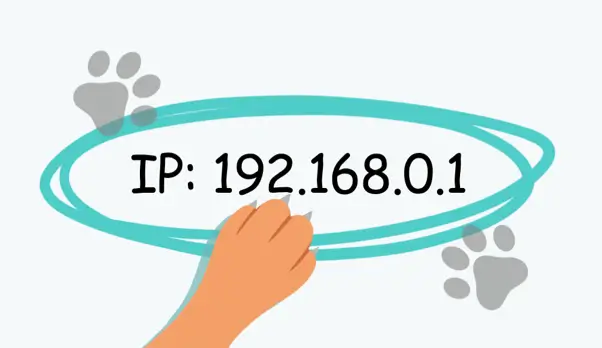
- IPv4: Traditional 32-bit addresses, e.g., 192.168.1.1
- IPv6: New 128-bit addresses, e.g., 2001:0db8:85a3:0000:0000:8a2e:0370:7334
Public vs Private IP
- Public IP: Assigned by ISP, used to communicate over the internet
- Private IP: Assigned within a local network, used internally
Knowing your IP type is crucial for network troubleshooting, security configurations, and accessing devices remotely.
What Is an IP Address Checker?
An IP address checker is a tool that identifies and displays your device’s IP address along with other network-related information. This tool can show:
- Public and private IP addresses
- Geolocation based on IP
- ISP information
- Connection type (IPv4 or IPv6)
Why IP Address Checkers Matter
- Troubleshoot connectivity issues
- Enhance cybersecurity by monitoring IP changes
- Configure routers, firewalls, and VPNs
- Detect unauthorized access to networks
For example, if a device is unable to connect to a server, an IP address checker can help determine if the IP is correct or blocked.
How to Use an IP Address Checker
IP address checkers are simple to use and often available online or as built-in utilities.
Step-by-Step Guide
- Open an IP address checker website or application.
- The tool automatically detects your public IP address.
- For private IP, check your device’s network settings.
- Analyze additional information such as ISP, location, and connection type.
Real-World Example
A home user may use an IP address checker to verify their VPN is functioning properly, ensuring the public IP reflects the VPN server instead of their original location.
Benefits of Using an IP Address Checker
IP address checkers provide several advantages for both personal and professional use.
Key Benefits
- Quick identification of IP for troubleshooting
- Monitoring network changes and security risks
- Verifying geolocation for content access
- Simplifying router and firewall configurations
- Ensuring VPNs are active and correctly routing traffic
Common Issues and How an IP Address Checker Helps
Even with reliable internet, users may encounter network problems.
Frequent Issues
- Unable to access certain websites
- IP conflicts within a local network
- Unauthorized access to devices
How IP Address Checker Helps
- Detects IP conflicts and suggests solutions
- Confirms the device’s current IP matches expected network settings
- Identifies location discrepancies for VPN troubleshooting
Security Considerations
Regularly checking your IP address can enhance security. Public IP addresses are exposed online, making it essential to monitor for suspicious changes.
Best Practices
- Use VPNs to hide your public IP
- Regularly check IP addresses for unexpected changes
- Configure firewalls to restrict access based on IP
- Keep devices updated to prevent IP-based exploits
Conclusion
An IP Address Checker is a valuable tool for anyone looking to understand, monitor, and secure their network. It provides essential information for troubleshooting, enhancing security, and optimizing internet connectivity. By regularly using an IP address checker, users and IT professionals can ensure devices are correctly configured, protect against unauthorized access, and maintain smooth network performance.
FAQs
1. What is an IP address checker?
A tool that identifies and displays your device’s IP address and related network information.
2. Why should I check my IP address?
To troubleshoot network issues, enhance security, and verify VPN or network settings.
3. What’s the difference between public and private IP?
Public IP is visible on the internet, while private IP is used internally within a network.
4. Can an IP address checker detect unauthorized access?
Yes, it can help identify IP changes and suspicious activity.
5. Is using an IP address checker safe?
Yes, especially when using trusted tools or built-in utilities.