Introduction
In the modern digital age, internet speed is no longer just about downloading content. Uploading data is equally important, especially with the rise of remote work, cloud storage, video conferencing, live streaming, and social media content creation. This is where an Upload Speed Test becomes essential. Upload speed determines how fast data is sent from your device to the internet, affecting tasks such as sending emails with attachments, uploading videos to YouTube, backing up files to the cloud, and participating in video calls without lag.
Many users only focus on download speed and ignore upload performance until they face problems like slow file uploads, blurry video calls, or failed backups. An upload speed test helps identify whether your internet connection meets your actual usage needs. It also helps diagnose issues related to your ISP, router, WiFi setup, or device configuration.
This in-depth guide explains everything you need to know about upload speed tests, how they work, what affects upload speed, and how to improve it. Written with real-world experience and technical expertise, this article will help you accurately measure and optimize your upload speed for a smoother, more reliable internet experience.
What Is an Upload Speed Test?
An upload speed test measures how fast data travels from your device to a remote server on the internet. Unlike download speed, which measures how quickly you receive data, upload speed focuses on outgoing data. This is critical for activities where you send information online rather than receive it.
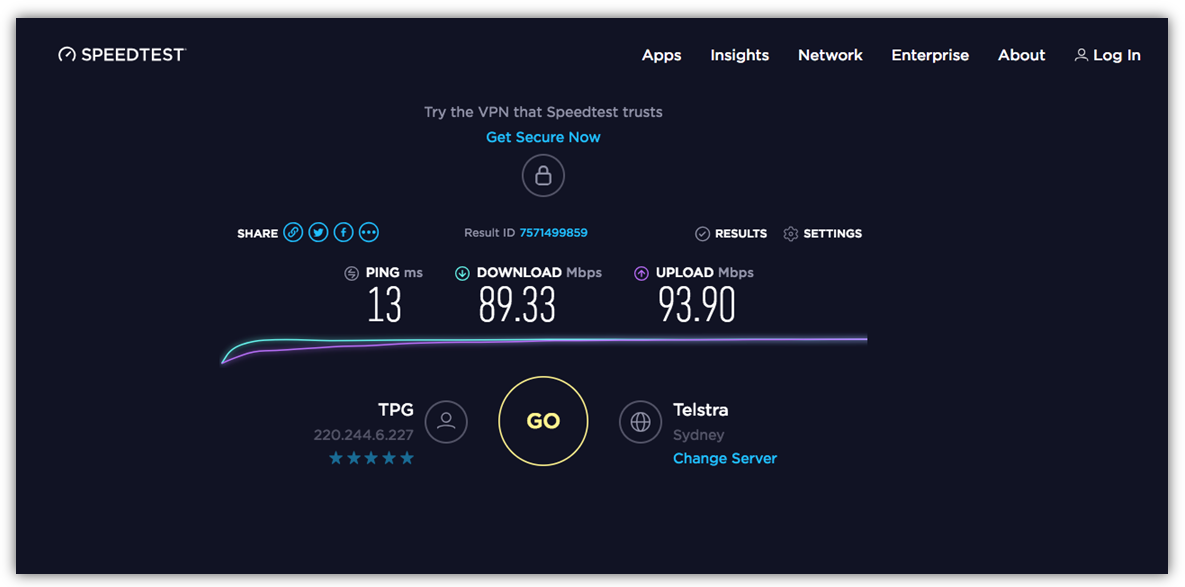
When you run an upload speed test, the testing tool sends data packets from your device to multiple servers and calculates the average transfer rate. The result is usually displayed in megabits per second (Mbps). Higher upload speeds mean faster data transmission and better performance for real-time applications.
Why Upload Speed Matters
Upload speed directly impacts:
- Video conferencing quality on Zoom, Google Meet, or Teams
- Uploading videos to YouTube, TikTok, or Facebook
- Cloud backups on Google Drive, iCloud, or Dropbox
- Online gaming performance and live streaming
- Sending large email attachments
For example, a content creator uploading a 1 GB video with a slow upload speed may wait hours, while a faster connection completes the task in minutes. This makes upload speed testing a vital part of evaluating your internet connection.
How an Upload Speed Test Works
An upload speed test uses a controlled method to calculate data transfer performance. Understanding the process helps users trust the results and interpret them correctly.
Step-by-Step Process
- The test tool selects the nearest and most reliable server.
- Your device sends multiple data packets to the server.
- The tool measures how long the data takes to upload.
- The average upload rate is calculated and displayed.
Most modern tools also measure latency (ping) and jitter, which affect real-time communication. A stable upload speed with low latency ensures smooth video calls and live streams.
Real-World Example
If your upload speed test shows 2 Mbps, uploading a 500 MB file may take more than 30 minutes. With a 20 Mbps upload speed, the same file can upload in under 5 minutes. This practical difference highlights why upload speed testing is essential.
Factors That Affect Upload Speed
Several technical and environmental factors influence upload speed. Even if your ISP promises high speeds, real-world results may vary.
Common Factors
- Internet plan limitations
- Network congestion during peak hours
- Router quality and configuration
- WiFi interference and distance
- Device hardware and software
Wired vs Wireless Connections
A wired Ethernet connection usually provides faster and more stable upload speeds compared to WiFi. Wireless signals are affected by walls, electronic devices, and interference from neighboring networks.
Understanding these factors allows users to take targeted actions to improve upload performance rather than guessing blindly.
Ideal Upload Speed for Different Uses
The ideal upload speed depends on how you use the internet. Different activities require different levels of performance.
Recommended Upload Speeds
- Basic browsing & email: 1–3 Mbps
- Video calls (HD): 5–10 Mbps
- Online gaming: 3–6 Mbps
- Live streaming (HD): 10–20 Mbps
- 4K video uploads & professional work: 25+ Mbps
For households with multiple users, higher upload speeds are essential to avoid congestion and performance drops.
How to Run an Accurate Upload Speed Test
To get reliable results from an upload speed test, testing conditions must be optimized.
Best Practices
- Disconnect unused devices
- Close background applications
- Use a wired connection if possible
- Test at different times of the day
- Run multiple tests and compare results
Testing only once may give misleading results. Multiple tests provide a clearer picture of your true upload performance.
How to Improve Upload Speed
If your upload speed test results are lower than expected, there are several proven ways to improve performance.
Practical Solutions
- Upgrade your internet plan
- Restart modem and router
- Update router firmware
- Replace outdated routers
- Switch to a wired connection
- Optimize WiFi placement
ISP and Technical Support
If issues persist, contact your ISP with your test results. Verified upload speed test data helps support teams diagnose and resolve problems more efficiently.
Common Upload Speed Issues and Fixes
Upload problems can disrupt productivity, but most have simple solutions.
Frequent Problems
- Slow cloud backups
- Laggy video calls
- Failed file uploads
Quick Fixes
- Reduce background uploads
- Change WiFi channels
- Scan for malware
- Upgrade network hardware
These solutions are based on real-world troubleshooting experience and proven networking practices.
Conclusion
An Upload Speed Test is a powerful tool for understanding and improving your internet performance. In a world where uploading data is just as important as downloading it, knowing your upload speed helps you choose the right internet plan, optimize your network, and avoid frustrating delays. By regularly testing, identifying issues, and applying practical improvements, users can enjoy smoother video calls, faster uploads, and a more reliable online experience. Whether for personal use or professional work, upload speed testing is essential for modern digital life.
FAQs
1. What is a good upload speed?
A good upload speed is typically 10 Mbps or higher for video calls and cloud uploads.
2. Why is my upload speed slower than download speed?
Most ISPs allocate more bandwidth for downloads than uploads.
3. How often should I run an upload speed test?
Run tests monthly or whenever you experience slow uploads.
4. Does WiFi affect upload speed?
Yes, WiFi interference and distance can reduce upload performance.
5. Can a new router improve upload speed?
Yes, modern routers handle data more efficiently and improve stability.