Introduction
In today’s digital world, WiFi & Router technology has become the backbone of our daily lives. From remote work and online education to streaming, gaming, and smart home automation, everything depends on a stable and fast wireless internet connection. A WiFi network may seem simple on the surface—connect a router, enter a password, and go online—but behind this convenience lies complex technology that directly affects speed, security, and reliability.
Many users face common problems such as slow internet, frequent disconnections, weak signals, or security concerns, often without understanding the root cause. In most cases, the issue is not the internet service provider but improper router placement, outdated hardware, or incorrect configuration. Knowing how WiFi works and how routers manage data can help you make smarter decisions, save money, and enjoy a smoother online experience.
This comprehensive guide explains WiFi & Router technology in simple terms while maintaining technical accuracy. You will learn how routers work, how to choose the right one, ways to improve performance, and best practices for security. Whether you are a beginner or a tech-savvy user, this article will provide practical, real-world insights to optimize your home or office network.
Understanding WiFi Technology
WiFi is a wireless networking technology that allows devices such as smartphones, laptops, smart TVs, and IoT devices to connect to the internet without physical cables. It uses radio waves to transmit data between your router and connected devices. These radio waves operate on specific frequency bands, mainly 2.4 GHz, 5 GHz, and the newer 6 GHz band used in WiFi 6E.
How WiFi Works
At its core, WiFi works through a simple process:
- Your internet service provider sends data to your modem.
- The modem passes this data to the router.
- The router converts data into wireless signals.
- Your devices receive these signals and send data back in the same way.
Different WiFi standards, such as WiFi 4 (802.11n), WiFi 5 (802.11ac), WiFi 6 (802.11ax), and WiFi 6E, define how fast and efficient this communication is. Newer standards provide better speed, lower latency, and improved performance in environments with many connected devices.
Common WiFi Frequency Bands
- 2.4 GHz: Longer range, slower speeds, more interference
- 5 GHz: Faster speeds, shorter range, less interference
- 6 GHz: Ultra-fast speeds, minimal congestion (WiFi 6E)
Understanding these basics helps users choose the right router and optimize network performance.
What Is a Router and Why It Matters
A router is the central device that manages all internet traffic within your network. It directs data packets between your devices and the internet, ensuring information reaches the correct destination. Without a router, multiple devices would not be able to share a single internet connection efficiently.
Modern routers do much more than basic traffic management. They include advanced features such as:
- Dual-band or tri-band connectivity
- Built-in firewalls
- Quality of Service (QoS)
- Parental controls
- Guest networks
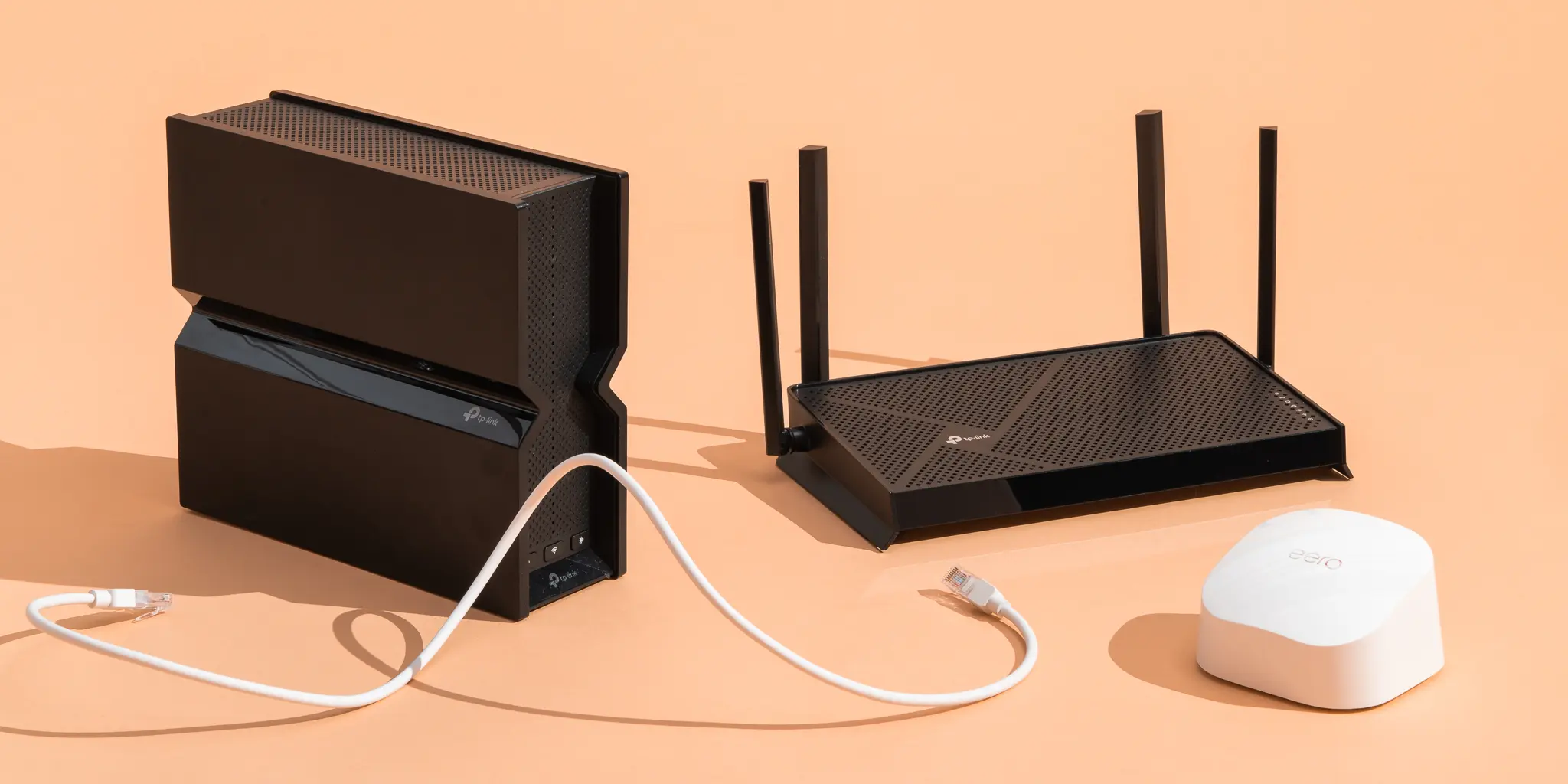
Types of Routers
There are several types of routers designed for different needs:
- Single-band routers: Basic and affordable, suitable for light use
- Dual-band routers: Better performance for homes with multiple devices
- Tri-band routers: Ideal for gaming, streaming, and smart homes
- Mesh WiFi systems: Best for large homes or offices with dead zones
Choosing the right router depends on home size, number of users, and internet usage patterns.
Choosing the Right WiFi Router
Selecting the best WiFi router is crucial for achieving stable performance. Many users focus only on speed numbers, but real-world performance depends on several factors.
Key Features to Consider
- WiFi standard (WiFi 5, WiFi 6, WiFi 6E)
- Coverage area in square feet
- Number of antennas
- Security protocols (WPA3 recommended)
- Ethernet ports for wired connections
Real-World Example
A family of five using streaming services, online classes, and video calls will benefit more from a WiFi 6 dual-band or tri-band router than a basic model. On the other hand, a small apartment with limited usage may perform well with a mid-range router.
By matching router features to actual needs, users can avoid overpaying or experiencing poor performance.
Improving WiFi Speed and Performance
Even the best WiFi & Router setup can perform poorly if not optimized correctly. Simple adjustments can significantly improve speed and stability.
Practical Tips for Better Performance
- Place the router in a central, elevated location
- Avoid walls, metal objects, and electronic interference
- Update router firmware regularly
- Use Ethernet for bandwidth-heavy devices
- Change WiFi channels to reduce congestion
Mesh WiFi for Large Areas
In large homes, a single router may not provide full coverage. Mesh WiFi systems use multiple nodes to create a seamless network, eliminating dead zones and ensuring consistent speeds throughout the space.
WiFi Security and Privacy Best Practices
Security is a critical aspect of any WiFi network. An unsecured router can expose personal data, slow down your network, and even lead to cyberattacks.
Essential Security Measures
- Change default router login credentials
- Use WPA3 or WPA2 encryption
- Create a strong, unique WiFi password
- Disable WPS if not needed
- Set up a guest network for visitors
Trust and Reliability
By following these best practices, users enhance trustworthiness and protect sensitive information, aligning with E-E-A-T principles.
Common WiFi Problems and Solutions
WiFi issues are common but often easy to fix.
Frequent Problems
- Slow internet speeds
- Random disconnections
- Weak signal in certain rooms
Quick Solutions
- Restart modem and router
- Update firmware
- Upgrade outdated hardware
- Adjust router placement
These practical steps are based on real-world troubleshooting experience.
Conclusion
Understanding WiFi & Router technology empowers users to take control of their internet experience. From choosing the right router and optimizing placement to improving security and solving common problems, small changes can deliver significant improvements. As digital demands continue to grow, investing time in learning about WiFi ensures faster speeds, better reliability, and a safer online environment for homes and businesses alike.
FAQs
1. What is the difference between a modem and a router?
A modem connects to your ISP, while a router distributes internet to devices.
2. How often should I upgrade my router?
Every 3–5 years or when performance no longer meets your needs.
3. Is WiFi 6 worth it?
Yes, especially for homes with many connected devices.
4. Can router placement affect speed?
Yes, poor placement can significantly reduce signal strength.
5. How can I secure my WiFi network?
Use strong passwords, WPA3 encryption, and regular updates
Read More: