Introduction
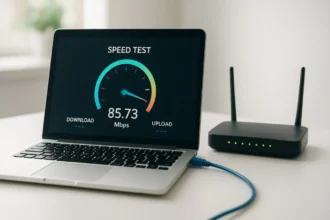
In the digital age, a fast and reliable internet connection is essential for work, education, entertainment, and communication. An Internet Speed Test is a crucial tool for measuring your connection’s performance, identifying issues, and optimizing your network. While many users focus only on download speeds, understanding upload speeds, latency, and consistency is equally important.
Internet speed tests provide insights into how well your network performs in real-world scenarios. Whether streaming high-definition videos, participating in video conferences, gaming online, or uploading large files, knowing your internet speed helps you set realistic expectations and troubleshoot problems effectively.
This guide covers what an internet speed test is, how it works, common factors affecting speed, and best practices for optimizing your internet performance. Written with technical expertise and practical insights, this article is ideal for both home users and IT professionals.
What Is an Internet Speed Test?
An internet speed test measures the performance of your connection by evaluating several key metrics:
- Download speed: How fast data travels from the internet to your device
- Upload speed: How fast data travels from your device to the internet
- Ping/latency: Time taken for data to travel to a server and back
- Jitter: Variability in latency, affecting real-time applications
Why Internet Speed Tests Matter
- Identify slow internet performance
- Troubleshoot network issues
- Compare ISP promises vs actual speeds
- Optimize home or office networks
For example, if your ISP promises 100 Mbps download speed but tests show only 50 Mbps, a speed test helps identify whether the issue is with your ISP, router, or WiFi setup.
How an Internet Speed Test Works
Internet speed tests send a small amount of data from your device to a remote server and measure how quickly it is transmitted and received.
Step-by-Step Process
- The test selects a nearby server.
- Download test: Data is sent from the server to your device.
- Upload test: Data is sent from your device to the server.
- Latency and jitter are measured during the transfer.
- Results display download/upload speeds in Mbps and latency in milliseconds.
Real-World Example
Streaming a 4K video requires a download speed of at least 25 Mbps. If a speed test shows 15 Mbps, buffering and lower resolution playback are likely.
Factors Affecting Internet Speed
Multiple factors influence your internet speed, both internal and external.
Common Factors
- ISP limitations: Your plan may have bandwidth caps
- Router quality: Older routers may reduce performance
- WiFi interference: Walls, electronic devices, and neighboring networks
- Network congestion: Peak hours can slow down speed
- Device performance: CPU and network card capabilities
Understanding these factors helps you take targeted actions to improve speed rather than guessing.
How to Run an Accurate Internet Speed Test
Accurate results require proper testing conditions.
Best Practices
- Use a wired Ethernet connection for testing
- Close background applications and devices consuming bandwidth
- Run multiple tests at different times of the day
- Test different servers to ensure consistency
Tools for Internet Speed Testing
- Online platforms like Speedtest.net, Fast.com, or Google speed test
- Router-built testing tools for internal network performance
Benefits of Regular Internet Speed Testing
Regular testing provides actionable insights for both individuals and IT professionals.
Key Benefits
- Detect network degradation early
- Ensure ISP is delivering promised speeds
- Optimize router placement and WiFi settings
- Troubleshoot latency and jitter for gaming and video calls
- Plan upgrades for high-demand tasks like streaming and cloud backups
How to Improve Internet Speed
If your internet speed tests show lower than expected results, several strategies can help.
Practical Solutions
- Restart your modem and router
- Update router firmware and network drivers
- Reposition router for optimal signal coverage
- Switch to less crowded WiFi channels
- Upgrade your internet plan or router
Advanced Options
- Use wired connections for critical devices
- Employ mesh WiFi systems for large homes
- Optimize Quality of Service (QoS) settings on routers
Conclusion
An Internet Speed Test is a vital tool for understanding, monitoring, and optimizing your network performance. By regularly testing your internet connection, users can detect issues, verify ISP performance, and ensure smooth experiences for streaming, gaming, remote work, and everyday browsing. Applying best practices and optimizing network hardware ensures that you get the most reliable and efficient internet possible.
FAQs
1. What is an internet speed test?
A tool that measures download speed, upload speed, latency, and jitter of your internet connection.
2. How often should I run a speed test?
Monthly or whenever you experience connectivity issues.
3. Why is my speed lower than advertised?
Factors like router quality, WiFi interference, network congestion, or ISP throttling can affect speed.
4. Can an internet speed test fix my connection?
No, it identifies performance issues but does not directly fix them.
5. What is a good internet speed?
Depends on usage: basic browsing (5–10 Mbps), HD streaming (25 Mbps), 4K streaming (50+ Mbps)