Introduction
Cable internet remains one of the most popular high-speed internet options for homes and offices. Understanding Cable Internet Speed is crucial for ensuring reliable connectivity for streaming, gaming, work-from-home setups, and general browsing. Speed can vary depending on your plan, network congestion, and hardware, making it essential to monitor and optimize your connection regularly.
Cable internet combines coaxial cable technology with broadband connections to provide fast and stable internet. A proper understanding of speed metrics, such as download, upload, and latency, can help users troubleshoot issues and ensure they are receiving the service they pay for. Conducting regular speed tests and following best practices can significantly improve the user experience.
This guide explores cable internet speed, factors affecting performance, ways to test and optimize it, and strategies for maximizing connectivity.
What Is Cable Internet Speed?
Cable internet speed refers to the rate at which data is transmitted to and from your device over a cable broadband connection. Key metrics include:
- Download speed: Rate at which data is received from the internet
- Upload speed: Rate at which data is sent to the internet
- Latency/ping: Time taken for a signal to travel to a server and back
- Jitter: Variability in latency affecting real-time applications
Why It Matters
- Determines streaming quality for videos and music
- Affects online gaming performance
- Impacts video calls and remote work efficiency
- Helps identify network or ISP issues
Factors Affecting Cable Internet Speed
Cable internet can experience fluctuations in speed due to multiple factors.
Common Factors
- ISP limitations: Bandwidth caps or plan restrictions
- Network congestion: Shared cable bandwidth among neighbors
- Router/modem quality: Older devices may limit speed
- Cable quality and wiring: Damaged or outdated cables reduce performance
- Device limitations: Network cards or WiFi adapters can bottleneck speed
Understanding these factors helps users troubleshoot slow speeds and optimize their connections.
How to Test Cable Internet Speed
Accurate speed testing ensures you know your connection’s real-world performance.
Step-by-Step Process
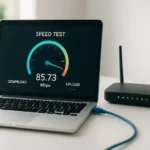
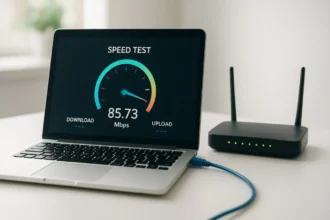
- Connect your device directly to the modem using an Ethernet cable for the most accurate results.
- Close bandwidth-heavy applications.
- Use a reputable online speed test tool such as Speedtest.net, Fast.com, or your ISP’s testing tool.
- Record download, upload, and ping metrics.
- Repeat tests at different times to understand peak and off-peak performance.
Real-World Example
If a cable plan advertises 200 Mbps download speed but tests consistently show 120 Mbps, it may indicate network congestion or hardware limitations that need attention.
Tips to Optimize Cable Internet Speed
Improving cable internet performance can significantly enhance user experience.
Practical Tips
- Restart your modem and router regularly
- Upgrade modem or router to support higher speeds
- Reduce the number of connected devices during peak usage
- Use wired connections for critical devices
- Position router in a central location to reduce WiFi interference
Advanced Strategies
- Enable Quality of Service (QoS) to prioritize essential traffic
- Replace old coaxial cables for better signal quality
- Contact your ISP for troubleshooting or to upgrade your plan
Benefits of Monitoring Cable Internet Speed
- Ensure you receive the speeds you pay for
- Identify and troubleshoot connectivity issues
- Optimize router placement and network settings
- Enhance performance for streaming, gaming, and work-from-home tasks
- Plan for network upgrades if needed
Conclusion
Understanding Cable Internet Speed is crucial for maintaining fast, reliable, and efficient internet connectivity. Regular speed testing, identifying factors that affect performance, and implementing optimization strategies can improve overall internet experience. By following best practices, users can ensure seamless streaming, gaming, remote work, and everyday browsing with their cable internet service.
FAQs
1. What is cable internet speed?
It is the rate at which data is transmitted over a cable broadband connection, including download, upload, and latency metrics.
2. How can I test my cable internet speed?
Use online speed test tools while connected directly to your modem and record download, upload, and ping metrics.
3. Why is my cable internet slow?
Possible reasons include ISP limitations, network congestion, old hardware, or poor wiring.
4. How can I improve cable internet speed?
Restart your modem, upgrade router, reduce connected devices, or use wired connections for critical devices.
5. Is cable internet faster than DSL or fiber?
Cable is generally faster than DSL but may be slower and less consistent than fiber-optic connections depending on network congestion and location